Microsoft
Microsoft Project 2024 Professional – Lifetime License, 1 PC | Instant Digital Delivery
Microsoft Project 2024 Professional – Lifetime License, 1 PC | Instant Digital Delivery
Couldn't load pickup availability
Microsoft Project 2024 Professional – Lifetime License for 1 PC
Plan smarter. Deliver faster. Microsoft Project 2024 Professional is the gold standard in project management software — used by project managers, PMOs, and operations teams at organizations of every size. From simple task lists to complex multi-resource enterprise projects, Project 2024 Professional gives you the scheduling power, resource management depth, and reporting clarity to keep every project on track and on budget.
This is a one-time purchase — no Project Plan subscription required. Pay once, own it permanently on your Windows PC.
What's Included
- Genuine Microsoft Project 2024 Professional license key (1 PC)
- Lifetime activation — permanent, not a subscription
- Instant digital delivery to your email
- Full desktop application with all Professional features
- Free activation support from Softwarekeep's expert team
Key Features of Project 2024 Professional
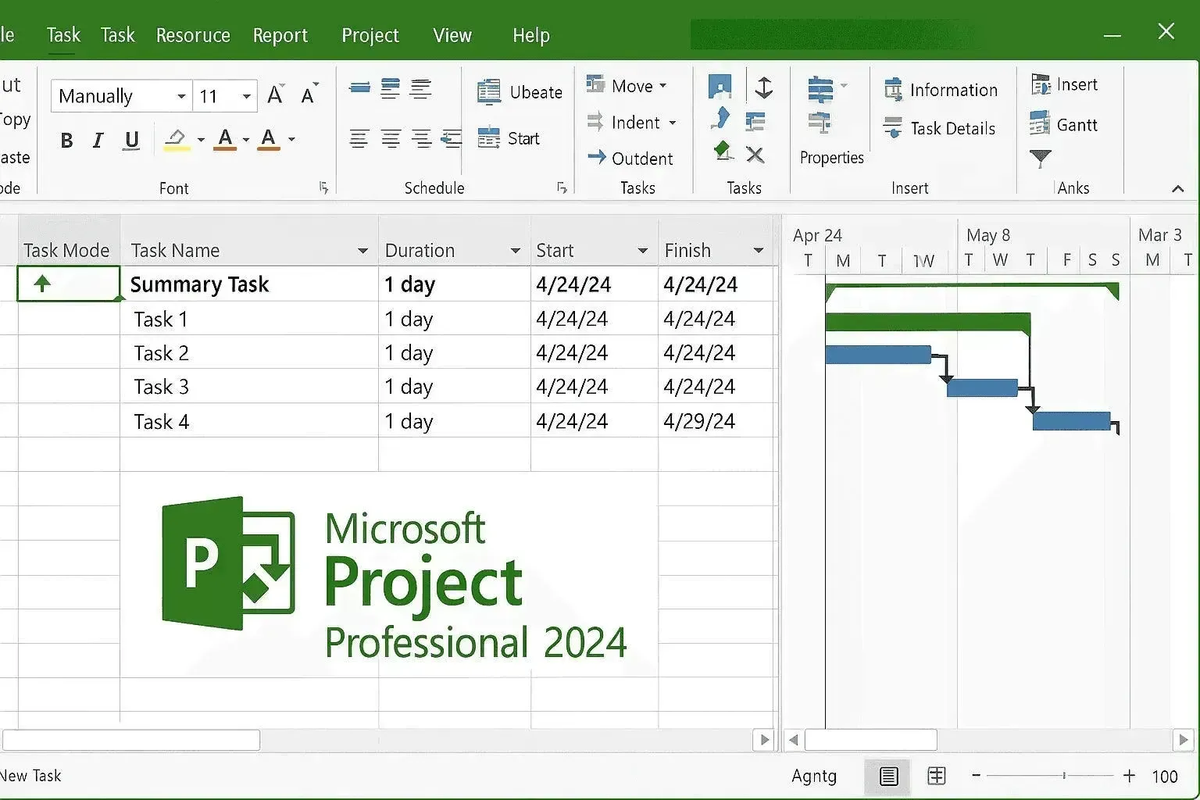
- Gantt Charts: Industry-standard bar chart scheduling with automatic dependency tracking, critical path highlighting, and milestone markers
- Resource Management: Assign people, equipment, and materials to tasks; track utilization; identify and resolve over-allocations with the Team Planner view
- Task Dependencies: Set Finish-to-Start, Start-to-Start, Finish-to-Finish, and Start-to-Finish dependencies with lead and lag times
- Critical Path Analysis: Automatically identify the sequence of tasks that determines your project's minimum duration
- Baseline Tracking: Save project baselines and compare actual progress against original plan to measure schedule and cost variance
- Budget & Cost Tracking: Set budgets, track actual costs, and monitor earned value metrics (EV, PV, AC, CPI, SPI)
- Multiple Project Views: Gantt Chart, Network Diagram, Calendar, Resource Sheet, Resource Usage, Task Usage, and Timeline views
- Timeline View: Create visual project summaries for executive presentations and stakeholder reports
- Reports & Dashboards: Built-in visual reports including Burndown, Cost Overview, Project Overview, Resource Overview, and Work Overview
- Microsoft 365 Integration: Sync tasks with Microsoft Teams, share files via SharePoint, and export to Excel for custom analysis
- Project Server Connectivity: Connect to Microsoft Project Server or Project Online for enterprise portfolio management (requires separate server license)
Project 2024 Professional vs. Standard – Which Do You Need?
- ✅ Professional (this product): Team Planner view, resource leveling, Project Server/Online connectivity, timeline sharing, and all enterprise features
- ⚠️ Standard: Basic scheduling only — no Team Planner, no resource leveling, no Project Server connectivity
- Choose Professional if you manage teams, resources, or multiple projects simultaneously
Project 2024 vs. Project Plan (Subscription)
- Project 2024 Professional (this product): One-time purchase, perpetual license, full desktop app, works offline
- Project Plan 3/5 (subscription): Monthly/annual fee, includes Project Online, cloud-based portfolio management, Power BI integration
- Choose Project 2024 if you want to own your software permanently without ongoing subscription costs
System Requirements
- OS: Windows 10 or Windows 11 (64-bit recommended)
- Processor: 1.6 GHz dual-core or faster
- RAM: 4 GB (8 GB recommended)
- Storage: 4 GB available disk space
- Display: 1280 x 768 resolution
- Internet: Required for activation only
Frequently Asked Questions
Is this a subscription? No — this is a one-time purchase. You pay once and own Project 2024 Professional permanently with no recurring fees.
What's the difference between Project Professional and Project Standard? Professional includes Team Planner, resource leveling, and Project Server/Online connectivity. Standard is for individual use with basic scheduling only.
Can I connect to Project Online? Yes — Project 2024 Professional can connect to Microsoft Project Online (requires a separate Project Online subscription from your organization).
Does it work with Microsoft Teams? Yes — you can sync tasks and share project timelines with Teams and SharePoint.
How do I get my license key? Your key is emailed instantly after purchase. Activation takes under 5 minutes.
Why Buy from Softwarekeep?
- ✅ 100% genuine Microsoft license keys
- ✅ Instant digital delivery — no waiting, no shipping
- ✅ Free step-by-step activation support
- ✅ Trusted by 50,000+ customers worldwide
- ✅ Secure checkout with buyer protection
Share