gnewnetworks
Microsoft Office 2024 Professional Plus License – Lifetime Key
Microsoft Office 2024 Professional Plus License – Lifetime Key
Couldn't load pickup availability
Microsoft Office 2024 Professional Plus – Lifetime License for Windows
Microsoft Office 2024 Professional Plus is the most complete version of Microsoft's legendary productivity suite, designed for professionals, businesses, and power users who demand the best tools without a recurring subscription. Available exclusively for Windows 10 and Windows 11, this one-time purchase gives you permanent access to the full suite of Office applications — no Microsoft 365 subscription required.
At Softwarekeep, we supply genuine Microsoft software with secure digital delivery. Your license key arrives by email within minutes of purchase, ready to activate on your PC immediately.
What Is Microsoft Office 2024 Professional Plus?
Microsoft Office 2024 Professional Plus is a perpetual-license productivity suite released by Microsoft for commercial and professional use. Unlike Microsoft 365, which requires a monthly or annual subscription, Office 2024 Professional Plus is a one-time purchase that never expires. It includes the full set of classic Office applications, updated with modern features for 2024 workflows.
This edition is ideal for businesses, IT professionals, legal firms, financial analysts, educators, and anyone who relies on Office daily but prefers a lifetime license over a subscription model.
What's Included
- Microsoft Word 2024 – Advanced document creation and editing
- Microsoft Excel 2024 – Powerful spreadsheets, data analysis, and formulas
- Microsoft PowerPoint 2024 – Professional presentations and slide design
- Microsoft Outlook 2024 – Email, calendar, and contact management
- Microsoft Publisher 2024 – Desktop publishing and layout design
- Microsoft Access 2024 – Database creation and management
- Microsoft OneNote 2024 – Digital note-taking and organization
- 1 genuine product license key
- Official Microsoft download link
- Softwarekeep activation support
Key Features of Office 2024 Professional Plus
Enhanced Collaboration Tools
Office 2024 Professional Plus introduces improved real-time co-authoring in Word, Excel, and PowerPoint. Multiple users can work on the same document simultaneously, with changes syncing instantly — whether stored locally or in OneDrive.
Advanced Excel Functions
Excel 2024 includes new dynamic array functions, improved XLOOKUP, and enhanced data visualization tools. Financial analysts and data professionals will benefit from faster calculation engines and expanded pivot table capabilities.
AI-Assisted Writing in Word
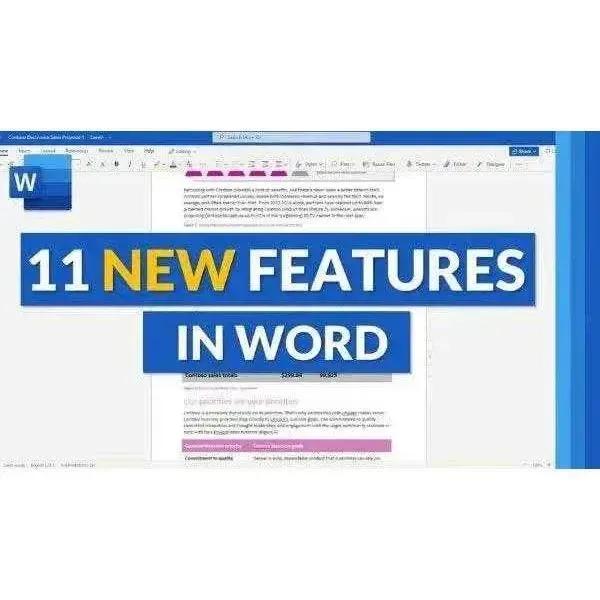
Word 2024 features intelligent writing suggestions, improved grammar checking, and enhanced accessibility tools. The Editor feature helps you write more clearly and confidently across all document types.
Modern Outlook Experience
Outlook 2024 delivers a cleaner interface with smarter inbox management, improved calendar sharing, and better integration with Microsoft Teams and other Microsoft services.
Publisher and Access for Business
Publisher 2024 lets you create professional marketing materials, brochures, and newsletters. Access 2024 provides robust database tools for managing business data without requiring a server.
Who Should Buy Microsoft Office 2024 Professional Plus?
- Small and medium businesses that need a full Office suite without monthly fees
- IT administrators deploying Office across multiple workstations via volume licensing
- Legal and financial professionals who rely on Word, Excel, and Outlook daily
- Educators and students who need permanent access to Office tools
- Home users upgrading from older Office versions (2016, 2019, 2021)
- Anyone who prefers a one-time payment over a Microsoft 365 subscription
Microsoft Office 2024 Professional Plus vs. Other Editions
| Feature | Office 2024 Pro Plus | Office 2024 Home & Business | Microsoft 365 Business |
|---|---|---|---|
| Word, Excel, PowerPoint | ✓ | ✓ | ✓ |
| Outlook | ✓ | ✓ | ✓ |
| Publisher & Access | ✓ | ✗ | ✗ |
| OneNote | ✓ | ✓ | ✓ |
| Lifetime License | ✓ | ✓ | ✗ (subscription) |
| Monthly Fee | None | None | Required |
| Commercial Use | ✓ | Limited | ✓ |
System Requirements
- Operating System: Windows 10 (64-bit) or Windows 11
- Processor: 1.6 GHz dual-core or faster
- RAM: 4 GB (64-bit); 2 GB (32-bit)
- Storage: 4 GB available disk space
- Display: 1280 × 768 screen resolution
- Internet: Required for download and activation
- Browser: Microsoft Edge, Chrome, or Firefox (latest version)
Note: Office 2024 Professional Plus is not compatible with macOS. For Mac users, consider Microsoft Office 2021 for Mac or Microsoft 365.
How to Download and Install Microsoft Office 2024 Professional Plus
- Complete your purchase at Softwarekeep — your license key will be emailed instantly.
- Visit office.com/setup or the official Microsoft download portal.
- Sign in with your Microsoft account (or create a free one).
- Enter your product key when prompted.
- Click Install and follow the on-screen instructions.
- Once installed, launch any Office application to begin setup.
How to Activate Microsoft Office 2024 Professional Plus
- Open any Office application (e.g., Word or Excel).
- Click Activate when prompted, or go to File > Account > Activate Product.
- Enter your 25-character product key.
- Follow the activation wizard — internet activation completes in seconds.
- Once activated, your license is permanently linked to your Microsoft account.
Tip: If you encounter activation errors, contact Softwarekeep support. Our team provides free activation assistance with every purchase.
Supported Languages
Microsoft Office 2024 Professional Plus supports over 100 display and editing languages, including English, Spanish, French, German, Italian, Portuguese, Chinese (Simplified and Traditional), Japanese, Korean, Arabic, and many more. Language packs can be added after installation via the Microsoft Language Accessor Tool.
Compatibility
- Windows 11 (all editions) – Fully supported
- Windows 10 (version 1909 or later, 64-bit) – Fully supported
- Windows Server 2019 / 2022 – Supported for server deployments
- macOS – Not supported (this is the Windows version)
Why Buy from Softwarekeep?
- Genuine Microsoft software — authentic licenses sourced through authorized channels
- Instant digital delivery — license key sent to your email within minutes
- Secure activation — every key is verified before delivery
- Lifetime license — pay once, use forever with no subscription
- No monthly subscription — a true perpetual license
- Free support — our experts help you install and activate at no extra cost
- Trusted by thousands — verified customer reviews and a proven track record
Related Products
- Browse all Microsoft Office licenses
- Microsoft Windows 11 licenses
- Windows Server & SQL Server licenses
Frequently Asked Questions
What is Microsoft Office 2024 Professional Plus?
Microsoft Office 2024 Professional Plus is a perpetual-license productivity suite for Windows that includes Word, Excel, PowerPoint, Outlook, Publisher, Access, and OneNote. It is a one-time purchase with no monthly subscription and is designed for professional and commercial use.
Is Office 2024 Professional Plus a lifetime license?
Yes. Office 2024 Professional Plus is a perpetual license, meaning you pay once and use it forever. Unlike Microsoft 365, there are no recurring fees. The license does not expire and remains active on your device as long as the hardware is in use.
Does Office 2024 Professional Plus work on Windows 11?
Yes. Microsoft Office 2024 Professional Plus is fully compatible with Windows 11 (all editions) and Windows 10 (64-bit, version 1909 or later). It is not compatible with macOS.
What is the difference between Office 2024 Professional Plus and Microsoft 365?
Office 2024 Professional Plus is a one-time purchase with no subscription. Microsoft 365 requires a monthly or annual fee and includes cloud storage and additional services. Office 2024 Pro Plus includes Publisher and Access, which are not available in most Microsoft 365 plans.
How many PCs can I install Office 2024 Professional Plus on?
A standard retail license covers one PC. If you need to install Office on multiple computers, you will need a separate license for each device or consider a volume licensing agreement.
Can I transfer my Office 2024 Professional Plus license to a new computer?
Retail licenses purchased from Softwarekeep are generally transferable. You would need to deactivate the license on the old device before activating it on the new one. Contact Softwarekeep support for step-by-step transfer assistance.
Does Office 2024 Professional Plus include Microsoft Teams?
No. Microsoft Teams is not bundled with Office 2024 Professional Plus. However, Teams is available as a free standalone download from Microsoft and integrates seamlessly with Outlook and other Office applications.
Is this a digital download or a physical product?
This is a digital product. After purchase, you will receive a genuine product key and a download link via email. No physical media is shipped. Installation is completed directly from Microsoft's servers.
What happens if I reinstall Windows after activating Office 2024?
If your license is linked to your Microsoft account, you can reinstall Office after a Windows reinstall by signing in at office.com and downloading it again. If it was activated without a Microsoft account, contact Softwarekeep support for reactivation assistance.
Does Office 2024 Professional Plus include cloud storage?
Office 2024 Professional Plus does not include OneDrive cloud storage as part of the license. However, you can use OneDrive with a free Microsoft account (5 GB) or purchase additional storage separately through Microsoft.
Is Office 2024 Professional Plus compatible with older Office file formats?
Yes. Office 2024 Professional Plus is fully backward compatible with files created in Office 2016, 2019, and 2021, as well as older .doc, .xls, and .ppt formats. It also supports open document formats (ODF).
What should I do if my product key doesn't work?
First, ensure you are entering the key exactly as provided, without spaces in the wrong places. If the key still does not activate, contact Softwarekeep support immediately. We verify every key before delivery and will resolve any activation issues at no charge.
Troubleshooting Tips
- Activation error 0xC004F074: Ensure your internet connection is active and try activating again. If the issue persists, use the telephone activation option in the activation wizard.
- Installation stuck or slow: Temporarily disable antivirus software during installation, then re-enable it afterward.
- Office apps not opening: Run the Microsoft Office Repair tool via Control Panel > Programs > Microsoft Office > Change > Quick Repair.
- Product key already used: Contact Softwarekeep support — we will verify your order and issue a replacement key if needed.
- Compatibility issues with Windows 10: Ensure Windows 10 is updated to version 1909 or later before installing Office 2024.
Open Graph Title: Microsoft Office 2024 Professional Plus – Lifetime License | Softwarekeep
Open Graph Description: Get genuine Microsoft Office 2024 Professional Plus with Word, Excel, PowerPoint, Outlook, Publisher & Access. One-time payment, instant delivery, lifetime license.
Image ALT Text: Microsoft Office 2024 Professional Plus box art and application icons on Windows 11 desktop
Suggested Image Filename: microsoft-office-2024-professional-plus-license-softwarekeep.jpg
Buy Microsoft Office 2024 Professional Plus Today
Stop paying monthly fees. Microsoft Office 2024 Professional Plus gives you the complete, professional-grade productivity suite with a genuine lifetime license — delivered instantly to your inbox. Join thousands of satisfied Softwarekeep customers who have made the smart switch to a one-time Office purchase.
Order now and receive your license key within minutes. Our support team is standing by to help you install and activate with confidence.
Share